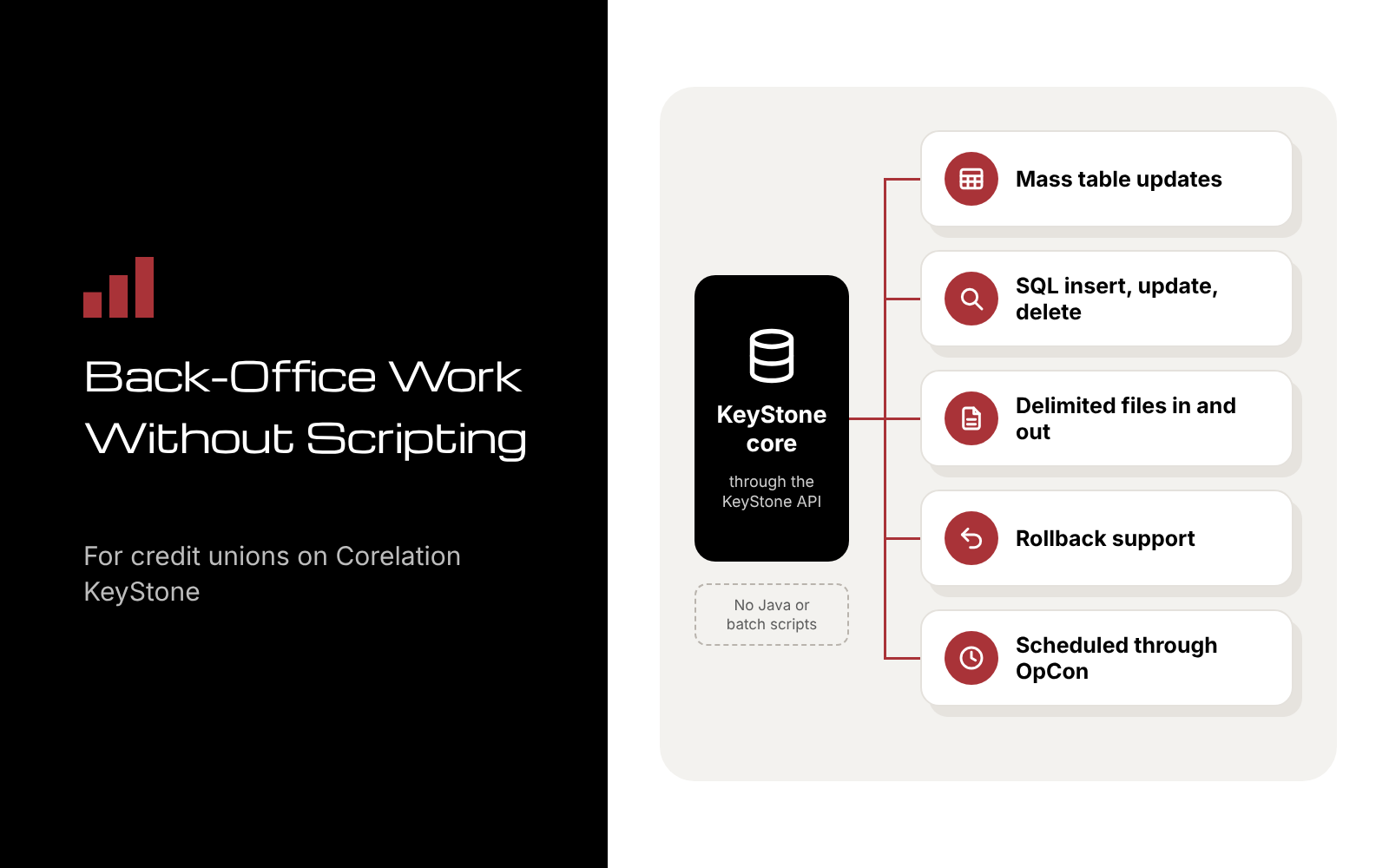
Infuzion is a back-office automation tool from IMS Integration (IMSI) for credit unions on Corelation KeyStone. It runs KeyStone API functions without Java or batch scripting, so your team can make mass table updates, insert, update and delete data with SQL queries, and process delimited files. It supports rollback and runs on a schedule through OpCon. Every job follows the API’s business logic and your user privileges.
Below, we cover the work Infuzion fits, how a job runs from start to finish, and the habits that keep automated data changes safe.
Why Back-Office Work Piles Up on KeyStone
Every credit union keeps a list of changes that touch many records at once. A product or policy change means updating a field across thousands of accounts. A partner sends a file that has to be processed. Another system needs an extract on a regular schedule.
For years, that work has meant custom scripts. Traditional scripting can be complex and time-consuming, and it takes specialized programming knowledge. So the list waits for the few people who can write, test and maintain those scripts, and everyone else works around the gaps.
More credit unions now face that list on KeyStone. Corelation signed a record 38 credit unions in 2025 and completed 28 conversions, according to its 2025 year-in-review release. In April 2026, it reported reaching 300 total clients after 12 more credit unions chose KeyStone in the first quarter (Corelation, April 13, 2026). Each of those credit unions has back-office routines to run on its new core.
Our 2027 budget guide named back-office automation as one of five integration projects worth funding. This post goes one level deeper: how that work runs on KeyStone with Infuzion.
What Does Infuzion Do?
Infuzion automates KeyStone API functions without Java or batch scripting. Because it works through the KeyStone API, it follows the API’s business logic and your user privileges on every change. Here’s what that covers:
- Mass data updates. Modify KeyStone tables quickly, without developing batch scripts.
- SQL query integration. Insert, update and delete data with SQL queries, under the same business logic and permissions.
- Automated file processing. Generate and process delimited file inputs and outputs.
- Reports. Generate reports as part of your back-office routines.
- Rollback capability. Roll back a data update when the result isn’t what you expected.
- Scheduling. Run jobs automatically through OpCon, which Infuzion fully integrates with.
The result: your team saves time on complex back-office processes, and every change goes through a tool that follows the API’s business logic and user permissions, which helps reduce errors.
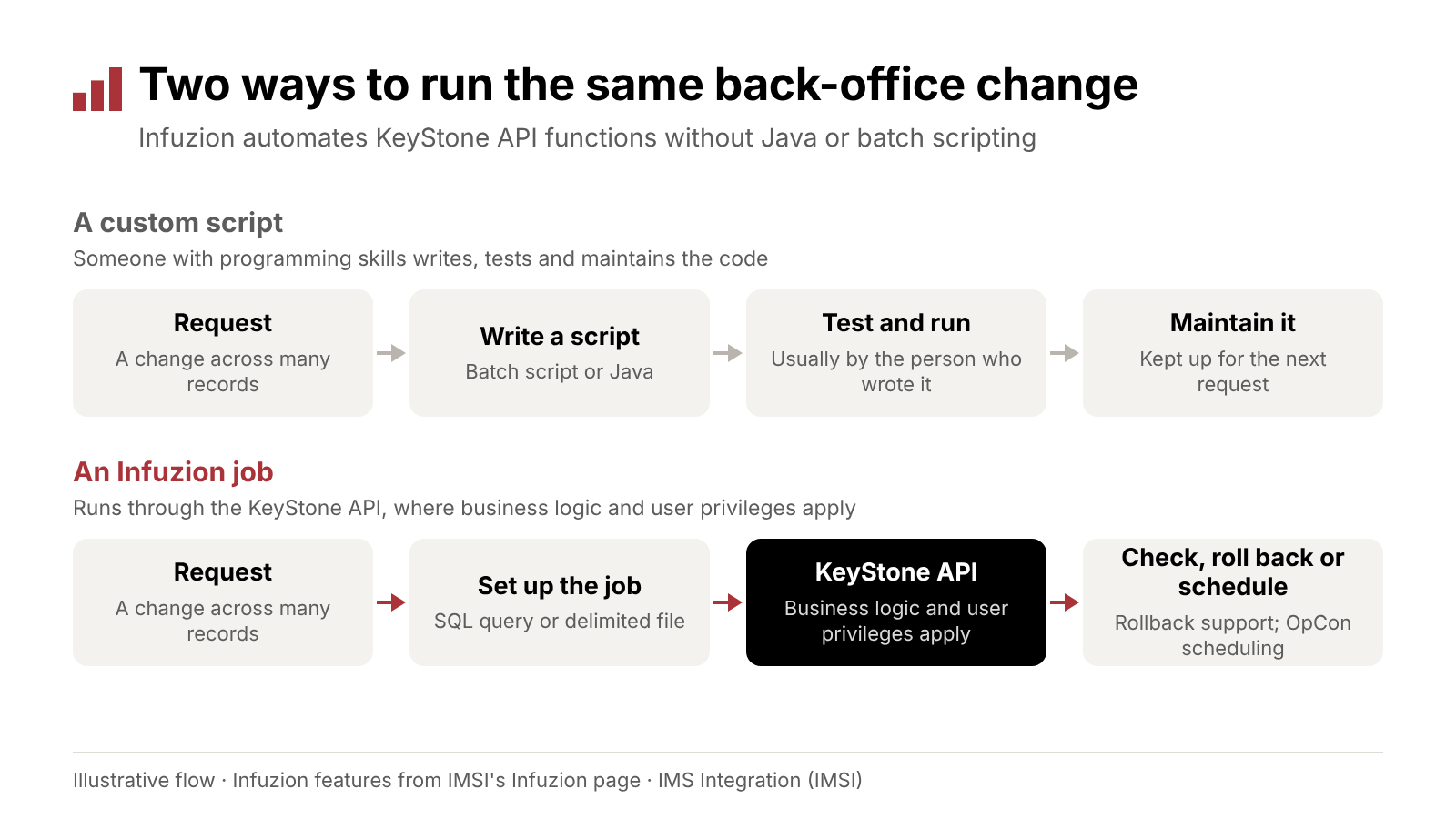
A scripted change waits on someone who can write, test and maintain code. An Infuzion job runs through the KeyStone API, where business logic and user privileges apply.
Which Back-Office Tasks Fit Infuzion?
Infuzion fits work that repeats, touches many records and follows clear rules. Common examples:
- Updates after a product or policy change. A rate, code or field that has to change across many accounts at once.
- Files from partners. Delimited files that arrive from another system and need to be processed.
- Extracts for other systems. Delimited output files that another system or team expects on a regular schedule.
- Recurring reports. Reports your team now assembles by hand each month.
- Cleanup after a review. Corrections across many records once a review finds the same problem in each one.
Some work should stay with a person: anything that needs judgment on each record, such as an exception review or a member dispute. Automate the routine changes around those decisions, and leave the decisions to your team.
Before you automate a task, make sure you can say how many records it touches, how often it repeats, what happens if it’s wrong, and who approves it. If you can’t answer all four, the task isn’t ready yet.
To find your first jobs, list every back-office change your team made last quarter that needed a script, a programmer or hours of manual entry. The ones that come back every month or quarter are the best place to start.
How Does an Infuzion Job Run?
A job moves from request to result in five steps.
- Define the change. Decide which records and fields the job touches, and where the data comes from: a SQL query or a delimited file.
- Run it through the KeyStone API. Infuzion carries out the change through the API, so the API’s business logic and the running user’s privileges apply to every record.
- Produce the outputs. If another system or team needs the results, the job can generate a delimited output file or a report.
- Check the results, and roll back if needed. Compare what changed with what you expected. If something’s off, rollback support lets you reverse the update.
- Schedule what repeats. For recurring work, Infuzion’s OpCon integration runs the job automatically, so it doesn’t wait for someone to start it.
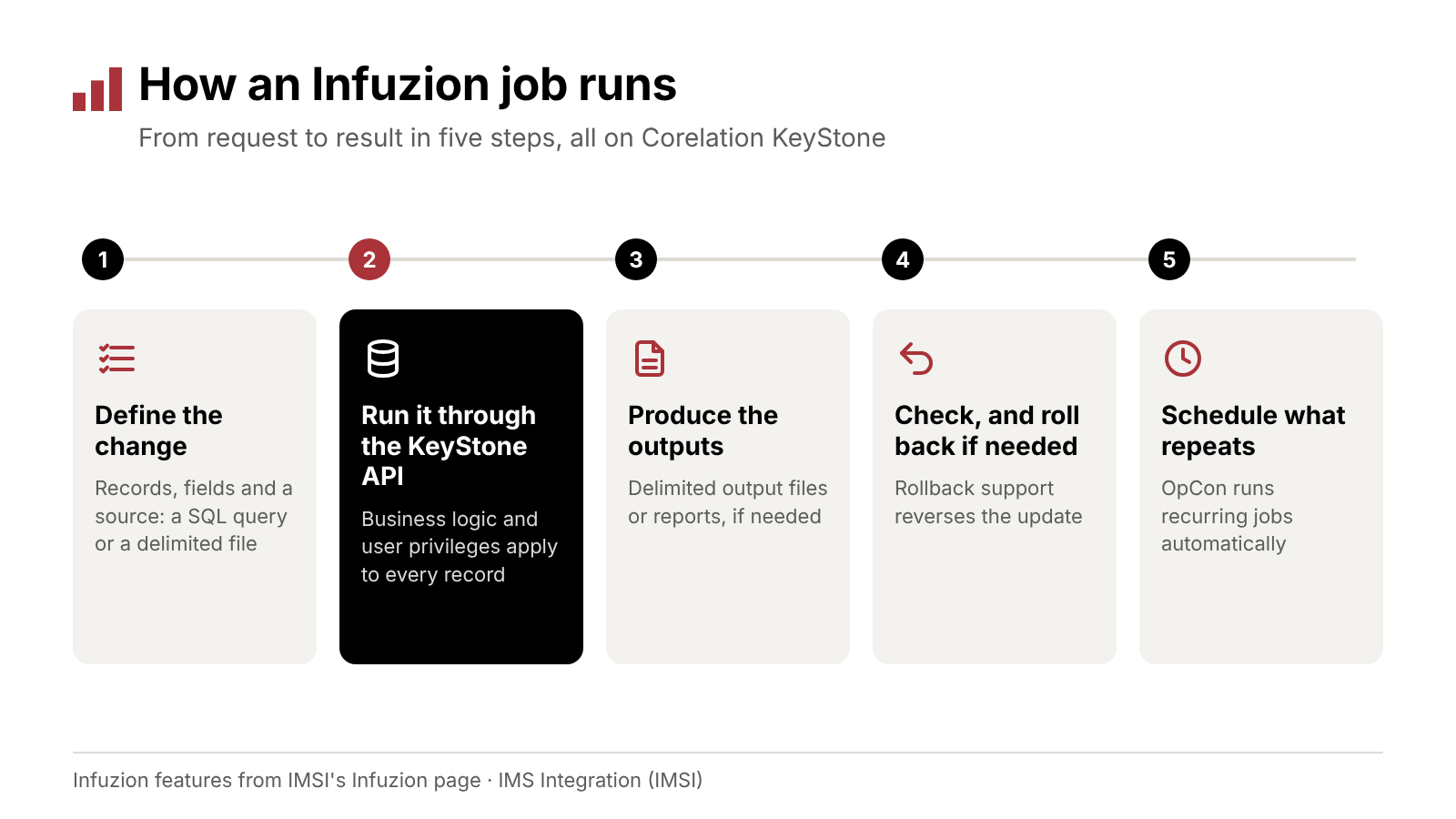
Define the change, run it through the KeyStone API, produce any outputs, check the result, and schedule what repeats.
Don’t skip steps 1 and 4 under deadline pressure. They take the least time, and they’re where you catch a problem before it reaches members.
Good Habits for Automating Core Data Changes
Automation makes changes faster, and that includes the wrong ones. These habits keep mass updates safe:
- Test on a small set first. Run a new job against a handful of records and check the result before running it on everything.
- Give each job only the access it needs. Infuzion follows user privileges, so set up the user that runs a job with access to what that job touches and nothing more.
- Separate the request from the approval. One person asks for the change, and another approves it before it runs.
- Plan the rollback before you run. Agree on what you’d reverse and who makes the call before the job starts.
- Keep a record of every job. Note who requested it, who approved it and when it ran.
- Put repeat work on a schedule. Recurring jobs belong in OpCon, not on someone’s to-do list.
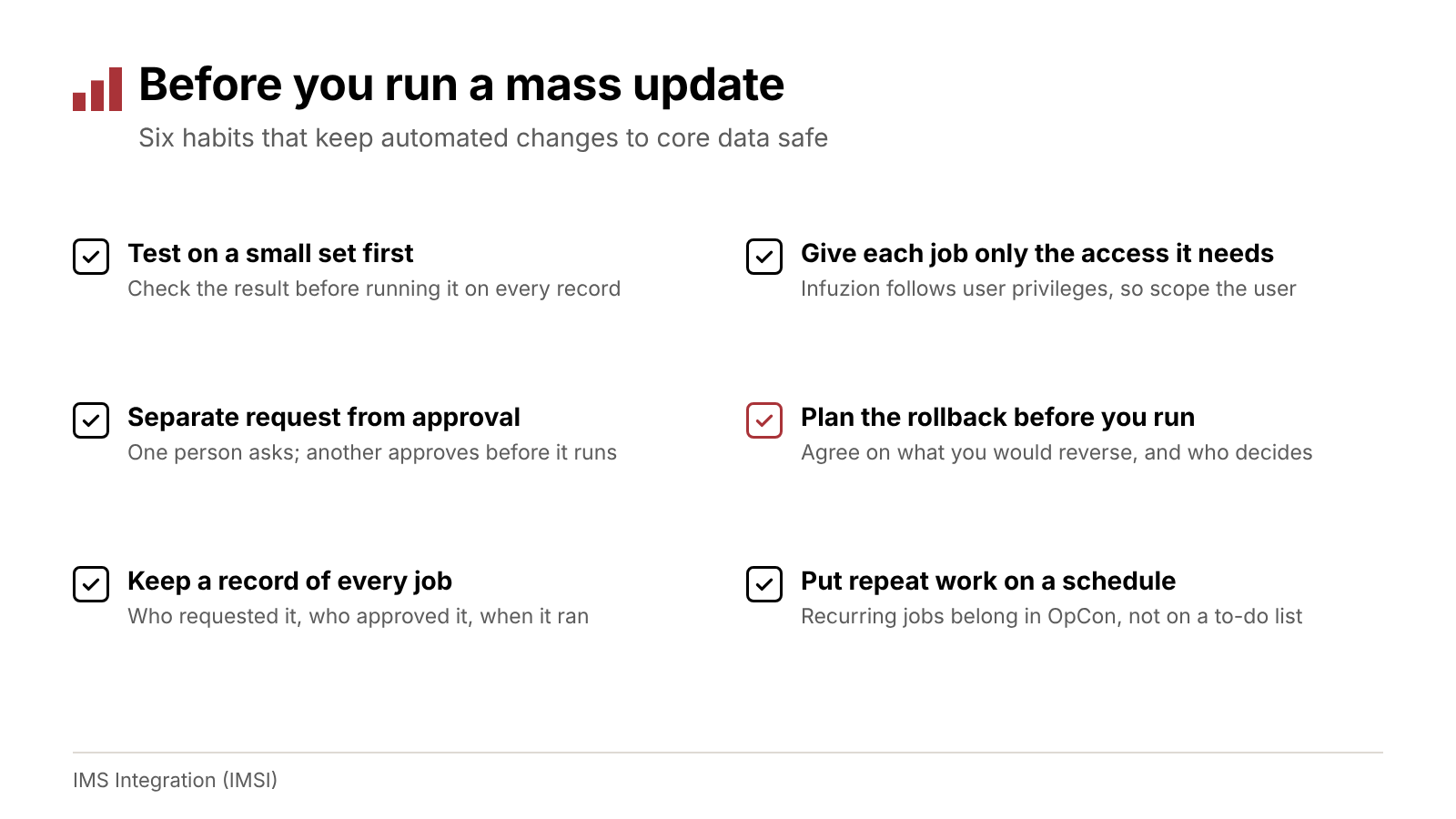
Six habits that keep automated changes to core data safe.
How Do You Know Automation Is Paying Off?
Measure a few things before your first job runs, so you have something to compare against:
- Hours spent on back-office changes. Include the time to write, test and run scripts, plus the time spent on manual updates.
- Turnaround time. How long a change waits between the request and the finished update.
- Corrections after the fact. How often a change has to be fixed or reversed.
- Jobs on a schedule. How many recurring tasks no longer depend on someone remembering to start them.
Check the numbers after a quarter. If a job hasn’t saved time or cut corrections, revisit how it’s set up before you add more.
How IMSI Helps KeyStone Credit Unions
Infuzion for KeyStone API is one of IMSI’s 17 solutions, and it’s built for Corelation KeyStone only. It gives your team a way to automate KeyStone API functions without Java or batch scripting, so back-office changes don’t have to wait for someone to write and maintain a script.
- Save time. Automate complex back-office processes that your team now handles with scripts or manual updates.
- Reduce errors. Every job follows the KeyStone API’s business logic and your user permissions.
- Handle bulk updates. Run mass data updates and bulk changes without manual intervention.
- Run on a schedule. Infuzion fully integrates with OpCon for automated processing.
It’s one way KeyStone credit unions get more from their core: the API you already have does more of the back-office work, and your team spends less time writing and maintaining scripts.
IMSI has been founder-led since 2007 and serves hundreds of credit unions.
Frequently Asked Questions
What is Infuzion? A back-office automation tool from IMSI for Corelation KeyStone. It automates KeyStone API functions without Java or batch scripting.
Does Infuzion work on Symitar? No. Infuzion is built for the KeyStone API, so it’s a KeyStone solution only. IMSI’s solutions for Jack Henry Symitar (formerly Episys) are listed on our Symitar page.
Can Infuzion jobs run on a schedule? Yes. Infuzion fully integrates with OpCon for automated processing.
Can we reverse a mass update? Infuzion includes rollback support for data updates. Plan the rollback before you run any large job.
What should we have in place before the first job? A clear rule for the change, a small test set, someone to approve it, and a rollback plan.
Does Infuzion work around KeyStone’s rules? No. It follows the KeyStone API’s business logic and the user privileges you’ve set.
See what Infuzion could take off your team’s list. Schedule a strategy call
Related reading
- Five Integration Projects Worth a Line in Your 2027 Budget
- Reducing Manual Workload with Rules-Based Automation
- Strengthening Credit Union Operations with Integrated Workflows
Devon Wilson is a founding partner of IMS Integration (IMSI). He has spent more than 30 years in credit union technology helping credit unions improve their systems and service delivery, and he speaks at industry events nationwide.