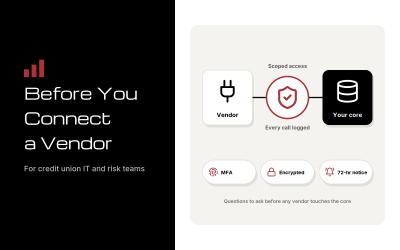
Jack Henry Connect 2026 runs October 19–21 in Kansas City, and Symitar credit unions will hear a lot of vendor pitches in three days. The questions that separate them are simple.
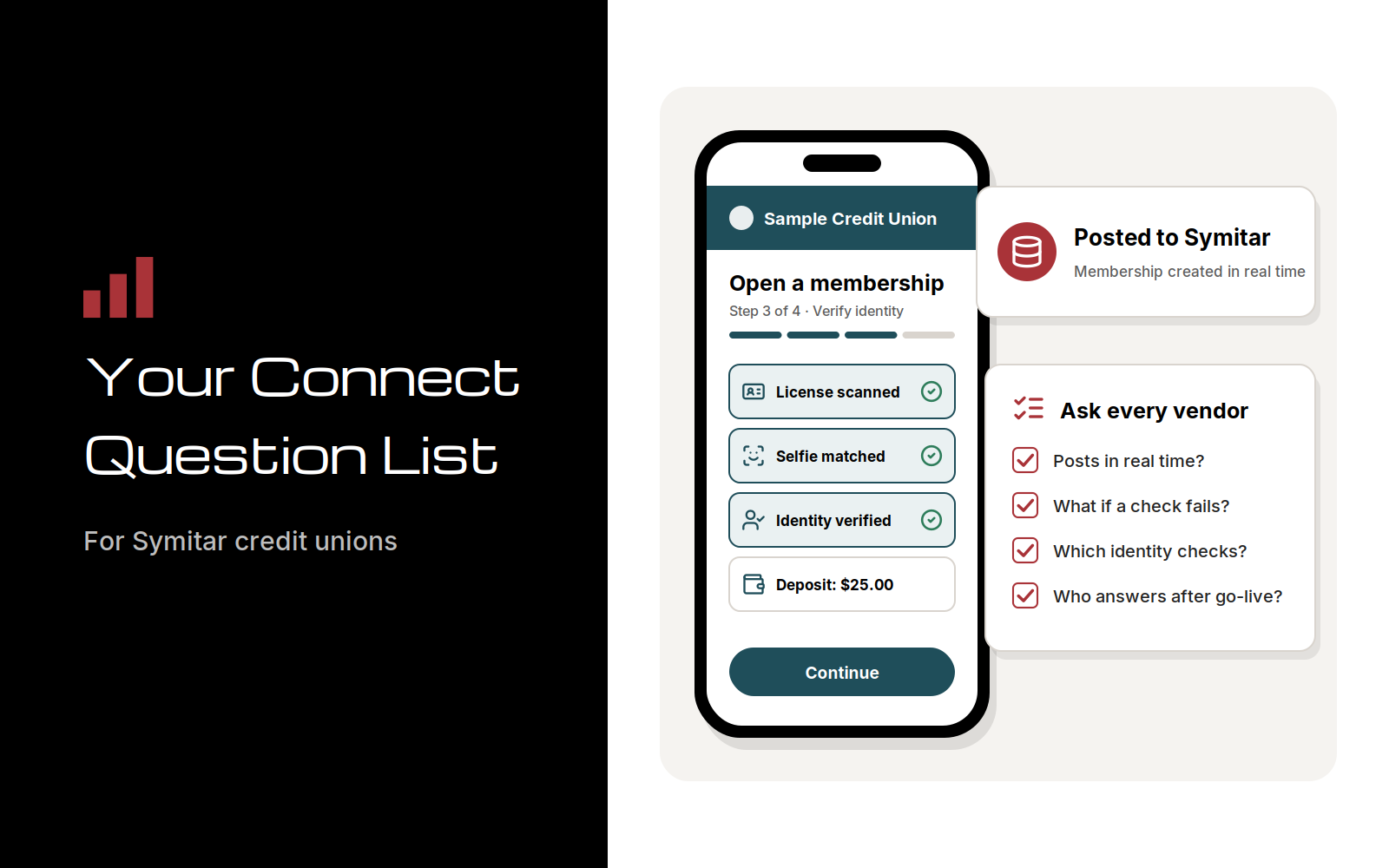
Does the solution post to your Symitar core in real time? What does a member see when something goes wrong? Which fraud checks run at entry? And who picks up the phone after go-live?
Bring the 12 questions below and leave with a short list worth a demo.
Why Connect Matters for Symitar Credit Unions
Connect is the one week a year when many of the people who run Jack Henry Symitar (formerly Episys) are in the same building as the vendors who want to plug into it. This year’s event is at the Kansas City Convention Center, and it marks Jack Henry’s 50th year (Jack Henry Connect 2026 event page; Jack Henry, Who We Are). Symitar runs at more than 700 credit unions, so the exhibit hall will be full of solutions that say they work with it (Jack Henry).
Budgets are moving, too. In Jack Henry’s 2026 Strategy Benchmark, 88% of executives at the institutions it surveyed expect to raise technology budgets over the next two years, up from 76% in the prior year’s survey. AI was the top planned investment at 48%, followed by digital banking at 38% (Jack Henry, April 28, 2026). Money is about to be spent, and the vendor conversations you have in October shape where it goes.
Here’s the catch. “Integrates with Symitar” can describe two very different things.
Some solutions read from and write to the core directly, so a new membership or loan payment is live the moment the member finishes. Others collect data on a separate platform and hand it off as a file or a queue that your staff carries into the core. Both demo well. Only one of them keeps your team out of re-keying.
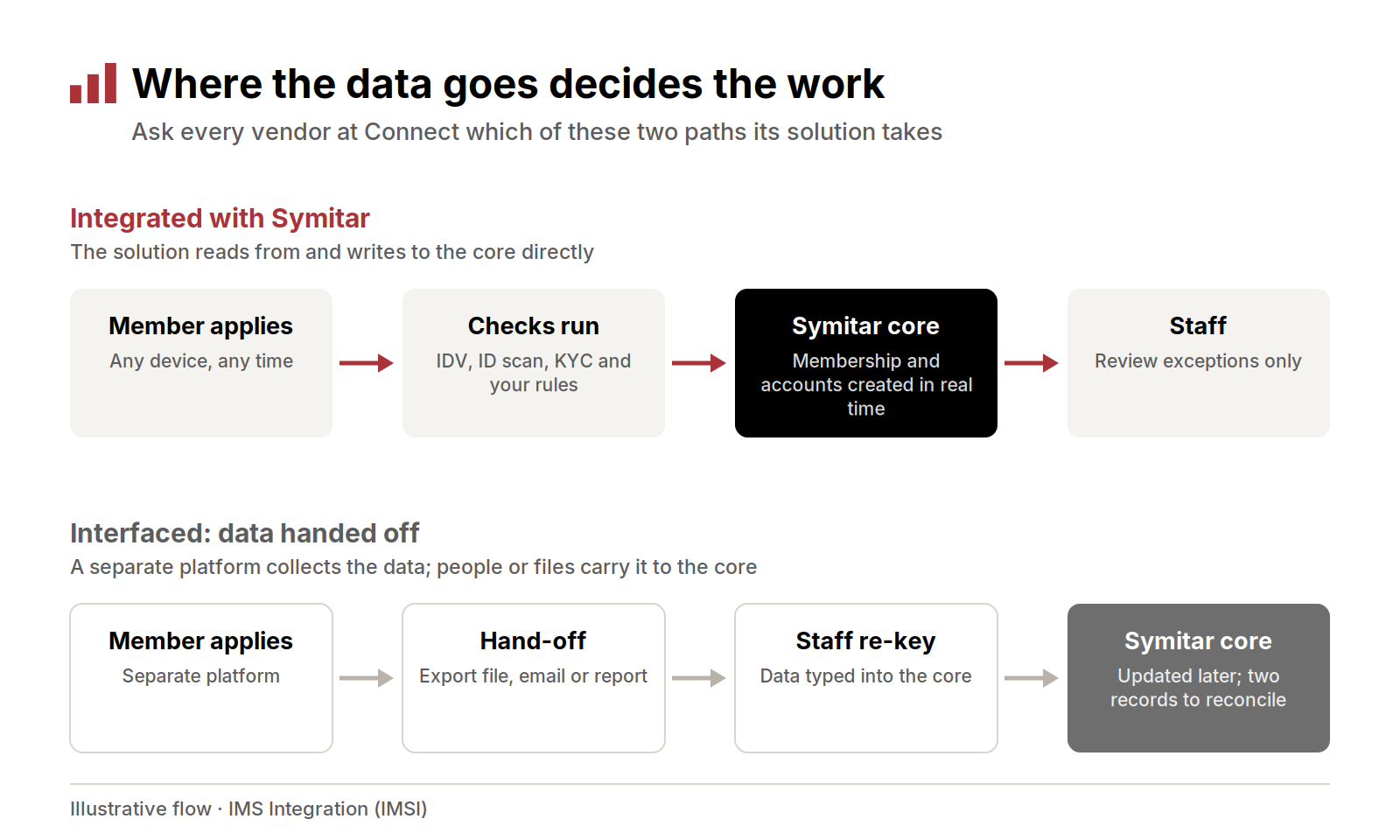
In an integrated flow, the solution writes to Symitar directly and staff handle only exceptions; in an interfaced flow, a hand-off and re-keying sit between the member and the core.
Integration Questions for Any Vendor
Integration is where two solutions that look alike in a booth demo turn out to be very different on a Tuesday morning in your back office. Start here.
1. Does it post to Symitar in real time, or by batch file? Real-time posting means the account, payment, or change exists in the core when the member sees “done.” A nightly batch means the member may not be able to use the account until tomorrow, and someone on your team reconciles the file. Neither answer is automatically wrong, but you should know which one you’re buying for each workflow.
2. Which SymXchange calls or PowerOn specfiles does it rely on? SymXchange is Jack Henry’s web services interface for Symitar. It lets third-party vendors, credit unions, and Jack Henry products run transactions, inquiries, and file maintenance on member accounts, and it can call PowerOn specfiles (Jack Henry SymXchange documentation). PowerOn is the programming language that extends Symitar, and specfiles are installed on the core itself (Jack Henry). Ask which specfiles a vendor would install on your system, who owns them, and who maintains them.
3. Who updates it when Symitar is upgraded, and who tests it? Core releases change things. A vendor that has lived through several Symitar releases will have a plain answer about regression testing, release timing, and how you’ll be told. If the answer is “your team,” budget for that time.
A useful follow-up: ask how the vendor connects to Symitar and who supports that connection. Jack Henry’s Fintech Integration Network, formerly the Vendor Integration Program, gives fintechs access to its technical resources for building integrations. Be wary of any vendor that implies an endorsement it can’t document.
Member Experience Questions
Members judge your credit union by the last screen they saw. Their expectations are set on a phone: in the American Bankers Association’s 2025 survey, 54% of U.S. adults said a mobile app was their preferred way to bank, far ahead of online banking at 22% and branches at 9% (ABA, November 17, 2025).
4. What does a member see when a check fails? Every application hits an exception eventually: an address that won’t validate, an ID photo that’s too dark, a funding card that declines. Ask the vendor to show you that screen. A good one gives the member a clear next step and tells your staff what happened. A poor one ends in a dead end and a phone call.
5. Do existing members have to retype what you already know? When a solution reads from the core, a signed-in member can see their name, address, and accounts filled in. When it doesn’t, you’re asking a 15-year member to prove who they are from scratch. Ask what prefills, and what deliberately doesn’t.
6. Does it carry your brand and work beside your digital banking? Members shouldn’t feel handed to another company halfway through. Ask whether the experience matches your branding, and whether it works with the online and mobile banking you already have. You shouldn’t need to replace one platform to add another.
A simple booth test: hand the vendor’s demo phone to a colleague and time how long it takes to finish an application without help. Two minutes of watching tells you more than 20 minutes of slides.
Fraud and Identity Questions
Fraud is now a standing agenda item for every digital project. In the Federal Reserve Financial Services 2026 Risk Officer Report, 53% of the 403 responding banks and credit unions said they had experienced mule-account fraud, and 51% spotted mule activity only after losses (Federal Reserve Financial Services). Many of those accounts start as ordinary-looking applications.
7. Which identity checks run, and at what point? Identity verification (IDV), ID scanning, know your customer (KYC), and customer due diligence (CDD) checks should run while the applicant is still in the flow, not after the account exists. Ask where each check sits and whether it follows your risk policy or the vendor’s defaults.
8. How are deepfake and synthetic identity red flags handled? The Financial Crimes Enforcement Network’s (FinCEN) November 2024 alert on deepfake media lists warning signs to watch for at onboarding. They include a photo that doesn’t match the applicant’s other identifying details, a third-party webcam plugin during a live check, device or location data that doesn’t match the documents, and an applicant who declines multifactor authentication (FinCEN Alert FIN-2024-Alert004). Ask the vendor which of these it can detect and what happens next.
9. Where do flagged applications go, and who sees them? A flag is only useful if it lands in front of the right person with the evidence attached. Ask to see the review queue, the audit trail, and how a reviewer’s decision gets back to the core.
Be wary of any answer that sounds like a guarantee. Good controls reduce risk and support your compliance program. No vendor can promise to stop all fraud, and the ones who try are telling you something about their other answers.
Support Questions
The questions about support feel soft until the first Monday something breaks. Then they’re the only questions that matter.
10. Who answers the phone when something breaks? Ask for roles, not a portal. Will you reach someone who knows your configuration and knows Symitar, or a first-tier queue that escalates? Ask what happens outside business hours for member-facing solutions.
11. What will implementation ask of your staff, and for how long? Every integration needs your people for workflow decisions, testing, and training. A vendor who says “nothing” is either very good or hasn’t thought about it. Ask for a sample project plan with your team’s hours on it.
12. Can we talk to a Symitar client of yours? A KeyStone or bank reference is useful. A credit union running the same core, at a similar size, is better. Ask them what surprised them, not just whether they’re happy.
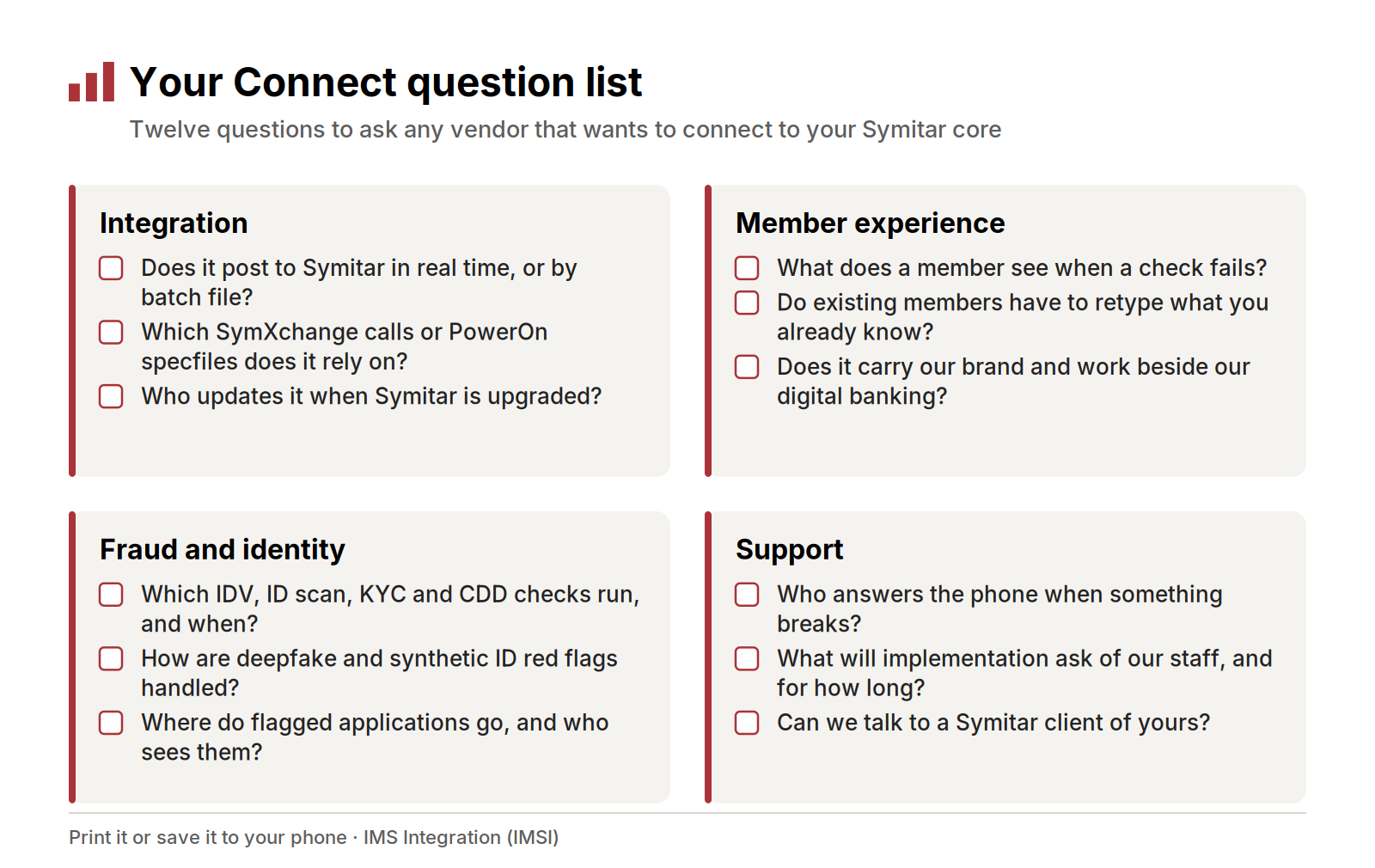
The 12 questions from this post, grouped into four cards you can print or save to your phone before Connect.
After Connect: From Answers to a Short List
The work that pays off happens in the two weeks after the show, while the conversations are fresh.
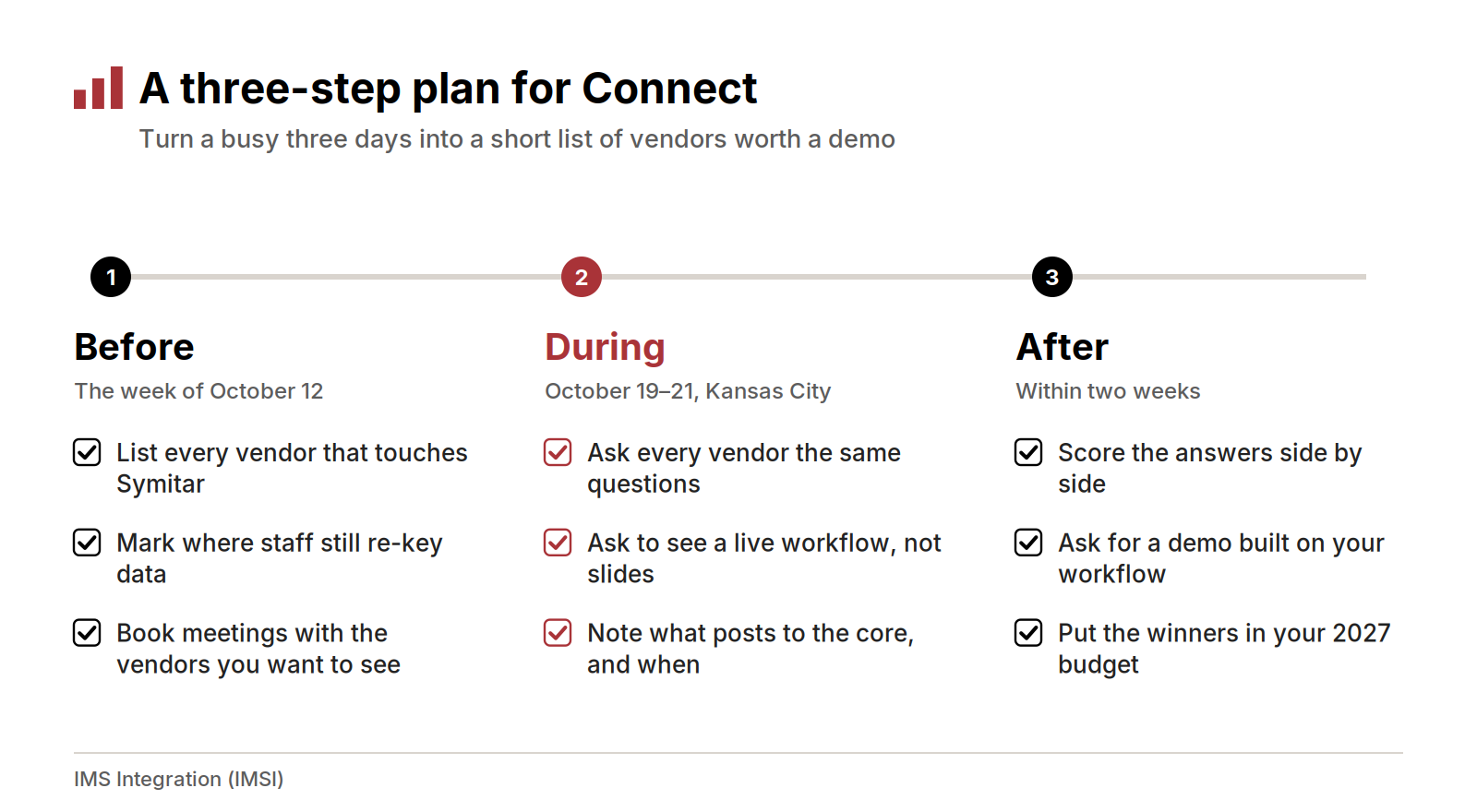
Before, during, and after Connect: prepare a vendor list, ask the same questions everywhere, then score the answers within two weeks.
Put every vendor’s answers in one table, one row per vendor and one column per question. Patterns show up fast. Then ask your top two or three for a demo built on your own workflow, with your products, your rules, and a realistic exception. Anything that earns a place on the list belongs in your 2027 budget conversation.
How IMSI Helps Symitar Credit Unions
IMS Integration (IMSI) builds solutions directly into Jack Henry Symitar. Nine are live on Symitar today: Online Account Opening, AppFlow Loan, AppFlow Account, Loan Payment, Skip-a-Pay, Courtesy Pay, Make-a-Statement, Trial Balance, and Workbox Messaging Center. Each one reads from and writes to the core, so applications and requests arrive validated and post to Symitar without re-keying.
Here’s what that looks like against the questions above:
- Account opening. With Online Account Opening, new members join from any device. Identity checks run as they apply, and the new membership is created directly in Symitar.
- Your process, online. AppFlow Loan and AppFlow Account are credit union–managed workflows for loan and membership applications, set up around your own review and approval steps.
- Loan servicing members can do themselves. Skip-a-Pay and Loan Payment let members skip an eligible payment or pay a loan online, and both post straight to the core.
- Statements and messages. Make-a-Statement delivers clear digital statements, and Workbox Messaging Center gives staff and members one secure inbox for messages and documents.
We build on both Jack Henry Symitar and Corelation KeyStone. On both cores, we deliver the same thing: finished, supported products, configured to your products, rules, and brand, running on one workflow engine, Workbox.
A few things we’d want you to know before you ask us the same 12 questions:
- Fraud defense is built in. IDV, ID scanning, KYC, and CDD run inside every application and are configured to your risk policy.
- Your digital banking stays. Our solutions work alongside your online and mobile banking provider.
- You reach the people who built it. IMSI has been founder-led since 2007, and our engineers support what they build.
- We’ll be straight about fit. Some of our solutions, such as Web Loan Application and Click-to-Fund, are KeyStone solutions only. If something you need isn’t on our Symitar list, we’ll say so.
Frequently Asked Questions
Is Episys the same as Symitar? Yes. Jack Henry retired the Episys name in its 2022 brand refresh, and the core is now called Symitar (Finopotamus, August 8, 2022). Many credit unions still use both names.
What is SymXchange? It’s Jack Henry’s web services interface for Symitar. Vendors and credit unions use it to run transactions, inquiries, and file maintenance on member accounts, and to call PowerOn specfiles.
Do we need to replace our digital banking to add online account opening? Not with IMSI. Our solutions work alongside your existing online and mobile banking provider.
Which IMSI solutions run on Symitar? Online Account Opening, AppFlow Loan, AppFlow Account, Loan Payment, Skip-a-Pay, Courtesy Pay, Make-a-Statement, Trial Balance, and Workbox Messaging Center.
See what’s available for your core. See Symitar solutions
Related reading
- Layered Fraud Prevention in Digital Account Opening
- Leveraging Secure API Integrations to Enhance Digital Banking
- Modernizing Credit Union Technology Without Replacing the Core
Devon Wilson is a founding partner of IMS Integration (IMSI). He has spent more than 30 years in credit union technology helping credit unions improve their systems and service delivery, and he speaks at industry events nationwide.